How Does a Computer Work? (Plain-English Guide)
Last updated: May 4, 2026
Quick Answer: A computer works by processing electrical signals through four core functions: input, processing, storage, and output. A processor (CPU) executes billions of instructions per second, RAM holds active data temporarily, and a storage drive keeps your files long-term. Understanding these basics helps you buy smarter, upgrade confidently, and stop overpaying for hardware you don’t need.
Key Takeaways
- The CPU is the brain. Clock speed (GHz) and core count determine how fast tasks get done.
- RAM is short-term memory. More RAM means more programs running smoothly at once — 16GB is the practical minimum in 2026.
- Storage speed matters more than size. An NVMe SSD is 5–10x faster than a traditional hard drive for everyday tasks.
- Modern CPUs now include NPUs (Neural Processing Units) for AI workloads like voice recognition and photo editing [1].
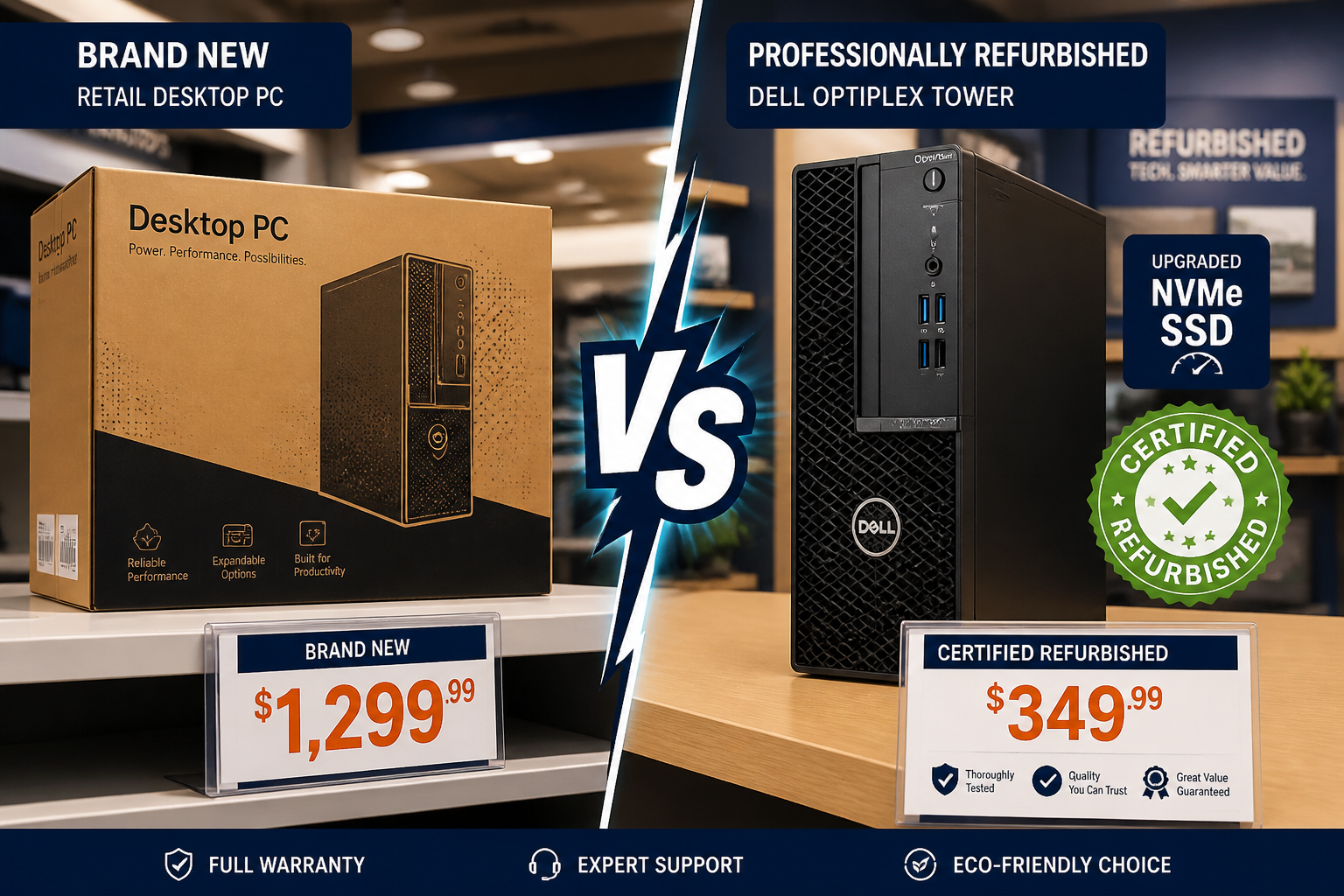
- Professionally refurbished computers can deliver the same performance as new hardware at 40–70% less cost.
- Custom PC builds let you match every component to your exact workload and budget.
- Free computer recycling is available in San Antonio — old hardware doesn’t have to end up in a landfill.
- Knowing how a computer works makes every buying, upgrading, and repair decision easier and cheaper.
How Does a Computer Work at Its Core?
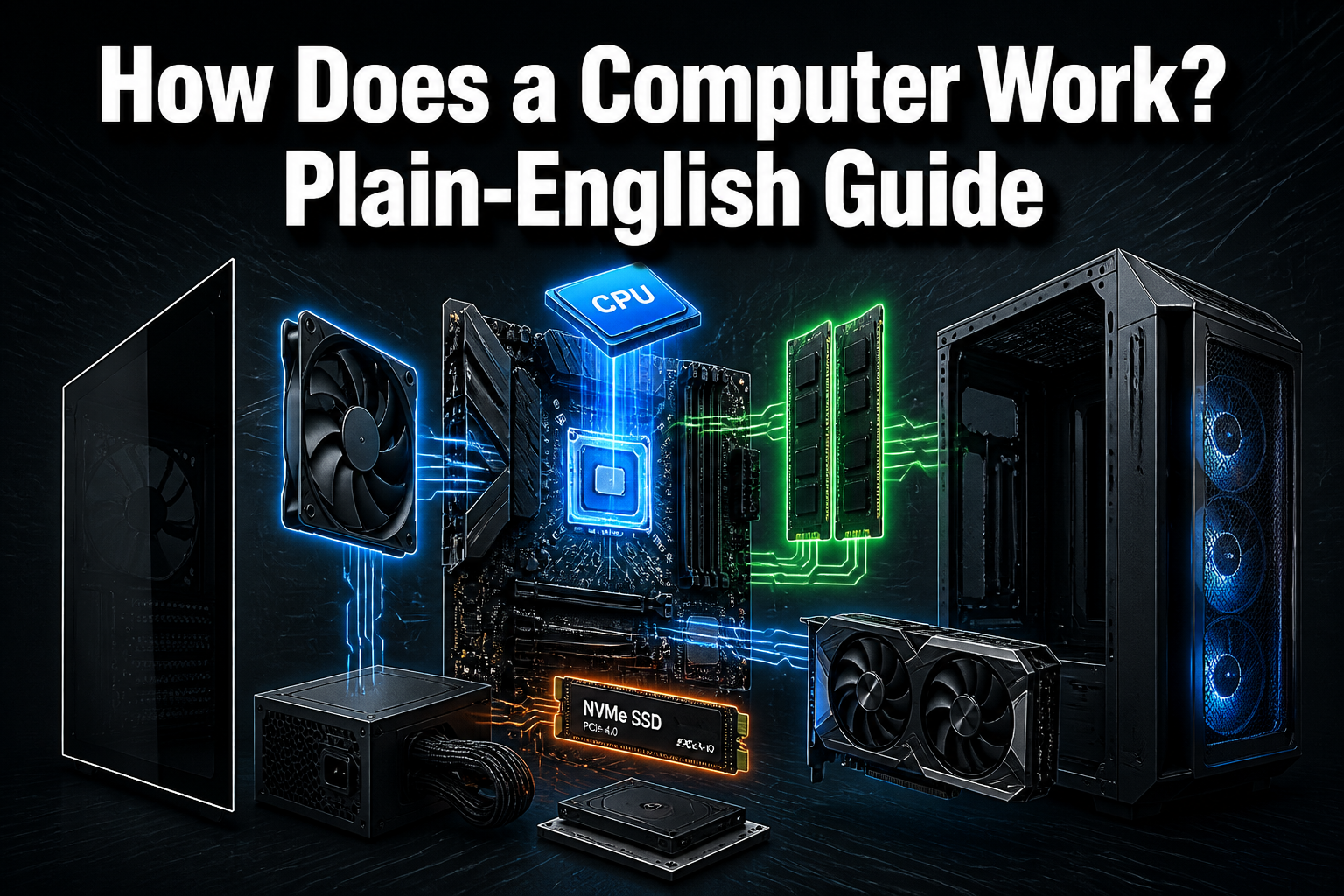
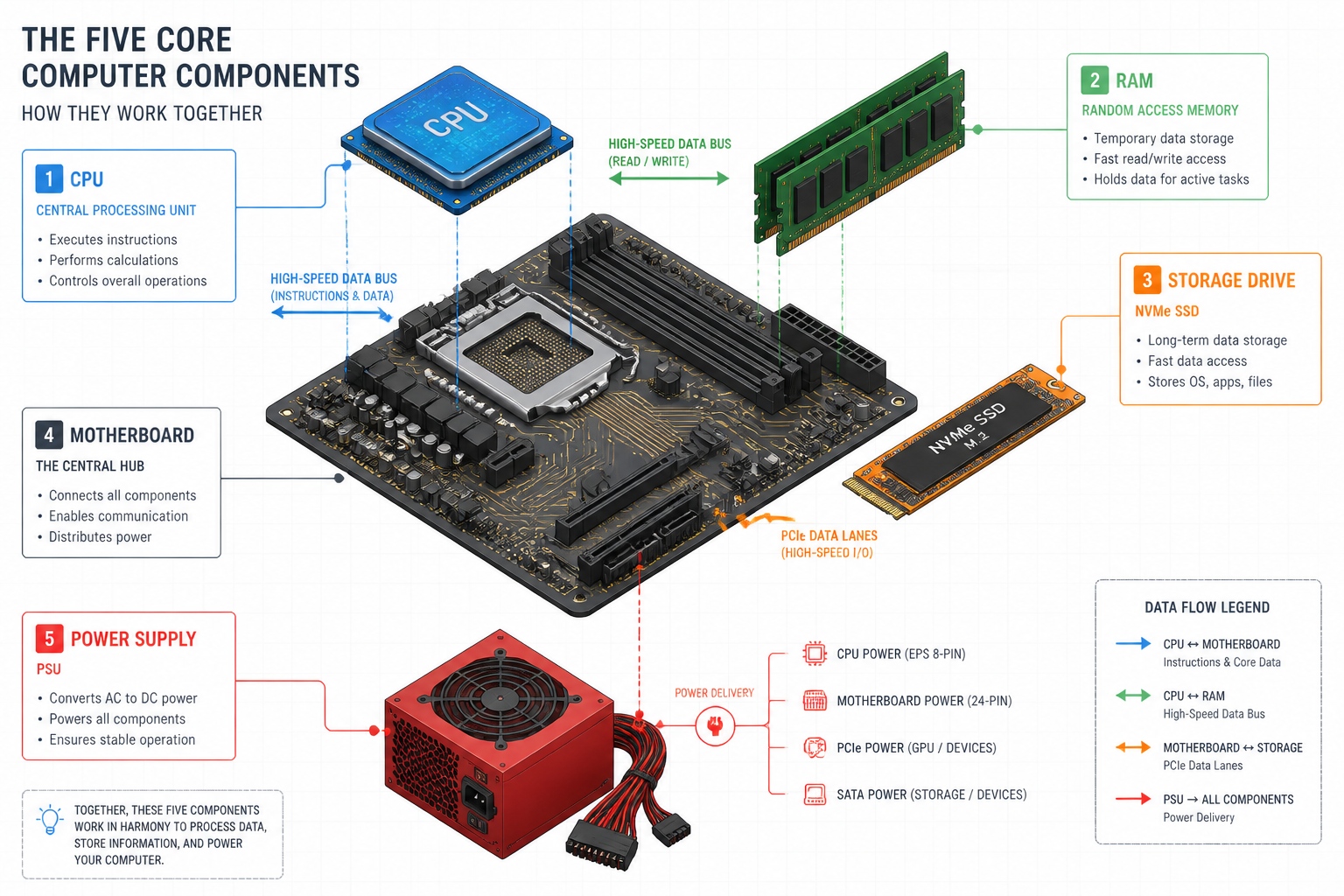
A computer converts electricity into information by moving data between four main components: the processor, memory, storage, and input/output devices. Every action — opening a browser, editing a photo, running a spreadsheet — follows the same basic loop: fetch an instruction, decode it, execute it, store the result.
Here’s a plain-English breakdown of each major component:
| Component | What It Does | Why It Matters |
|---|---|---|
| CPU (Processor) | Executes instructions | Determines overall speed |
| RAM | Holds active data | Affects multitasking ability |
| Storage (SSD/HDD) | Saves files long-term | Affects boot and load times |
| GPU | Handles graphics/AI visuals | Critical for gaming and video |
| Motherboard | Connects everything | Determines upgrade limits |
| PSU | Supplies power | Stability and component safety |
| OS | Manages all resources | The software layer on top |
The data flow in plain English:
- You press a key or click a mouse (input).
- The CPU fetches the relevant instruction from storage or RAM.
- The CPU executes the instruction in nanoseconds.
- The result is sent to your monitor, speaker, or printer (output).
- Any data worth keeping gets written back to storage.
Choose this path if… you’re buying a computer and want to know which spec to prioritize: focus on CPU generation and RAM first, then storage speed. GPU matters most for gaming and video work.
What Does the CPU Actually Do?
The CPU (Central Processing Unit) is the component that executes every instruction your software sends. It doesn’t store your files or display your screen — it just calculates, constantly, at billions of operations per second.
Key CPU specs to understand:
- Clock speed (GHz): How many cycles per second the CPU completes. Higher = faster single-task performance.
- Core count: How many tasks the CPU can handle simultaneously. More cores = better multitasking.
- Generation: Newer generations are more efficient, not just faster. An Intel Core i7 10th Gen performs differently from an i7 12th Gen even at the same clock speed.
2026 update: Modern processors now include dedicated Neural Processing Units (NPUs) built directly into the chip. These handle AI workloads — real-time noise cancellation, photo enhancement, security scanning — without taxing the main CPU [1]. Intel’s Core Ultra Series 3 processors, launched January 2026 on the 18A process node, push this further with improved efficiency and integrated graphics [2]. Qualcomm’s Snapdragon X2 Plus features an 80 TOPS NPU for AI acceleration [2].
Common mistake: Buyers often focus on GHz alone. A 3.0GHz 12th-gen Intel Core i5 will outperform a 3.6GHz 6th-gen i7 in most tasks because of architectural improvements, not raw clock speed.
For a professionally refurbished desktop that balances CPU performance with value, the Dell OptiPlex 5050 with an Intel Core i7 and 32GB RAM is a strong example of what a well-specced refurbished machine looks like.
How Does RAM Work, and How Much Do You Need?
RAM (Random Access Memory) is your computer’s short-term workspace. When you open an application, the CPU loads its data into RAM because RAM is dramatically faster to access than a storage drive. When you close the app or shut down, that data disappears.
RAM guidelines for 2026:
- 8GB: Minimum for basic web browsing and document work. Tight for modern use.
- 16GB: The practical standard for most users — handles multitasking, streaming, and light creative work.
- 32GB: Recommended for video editing, large spreadsheets, running virtual machines, or AI workloads.
- 64GB+: Professional workstations, 3D rendering, data science.
Edge case: If your computer feels slow but the CPU is fine, RAM is often the culprit. A RAM upgrade is one of the cheapest, highest-impact computer upgrades available.
How Does Storage Work — SSD vs. HDD?
Storage keeps your files, operating system, and applications permanently — even when the power is off. The type of storage you have affects how fast your computer boots, how quickly apps open, and how responsive the whole system feels.
Storage types compared:
| Type | Speed | Best For | Typical Cost |
|---|---|---|---|
| HDD (Hard Disk Drive) | Slow (100–150 MB/s) | Bulk file storage | Cheapest |
| SATA SSD | Fast (500–550 MB/s) | General use upgrade | Moderate |
| NVMe SSD | Very fast (3,000–7,000 MB/s) | OS drive, gaming, creative work | Best value in 2026 |
The single best upgrade for a slow computer: Replacing a mechanical hard drive with an NVMe SSD. Boot times drop from 60+ seconds to under 10. Apps launch almost instantly. This one change transforms an older machine.
Alamo Geeks installs NVMe SSDs in every Professionally Refurbished Computer before it leaves the shop — not as an upsell, but as a baseline standard.
How Does a Computer Work When You’re Gaming or Running AI?
Gaming and AI workloads stress different components than everyday computing. Understanding which parts matter helps you spend money in the right place.
For gaming, the GPU (Graphics Processing Unit) is the priority:
- The GPU renders every frame you see on screen.
- More VRAM (video memory) = higher resolutions and better textures.
- A strong GPU paired with a mid-tier CPU will outperform a top CPU with a weak GPU in every game.
For AI workloads in 2026:
- NPUs handle tasks like real-time video upscaling, AI-assisted coding, and voice recognition more efficiently than CPUs alone [1].
- Dedicated AI workstations benefit from high RAM (32GB+), fast NVMe storage, and a capable GPU.
Custom Gaming Rig example: The Custom Gaming PC with AMD Ryzen 7, 32GB RAM, 1TB NVMe SSD, and NVIDIA RTX 3070 at $875 is a purpose-built machine where every component was chosen to work together — no wasted budget on specs that don’t affect gaming performance.
For maximum performance, the Powerful Gaming PC with Intel Core i7 14th Gen, 32GB DDR5, and NVIDIA RTX 5070 represents the current high-performance tier for serious gamers and AI users.
Custom PC Build vs. Pre-Built vs. Refurbished: Which Makes Sense?
This is the question that matters most for buyers. The right answer depends on budget, use case, and how much you value your time.
Decision framework:
| Scenario | Best Choice | Why |
|---|---|---|
| Tight budget, everyday tasks | Professionally Refurbished | 40–70% less than new, same performance |
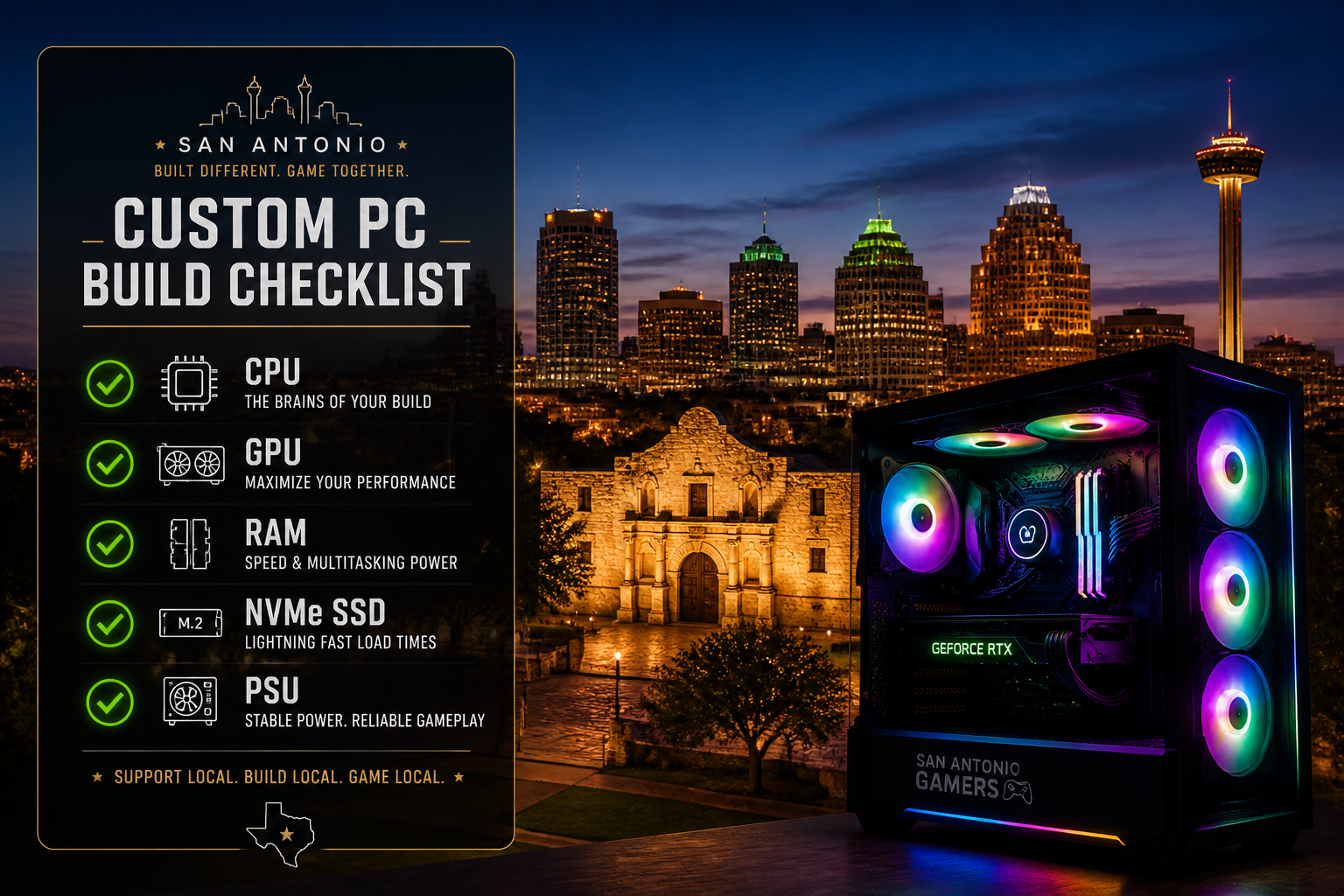
| Specific gaming or creative workload | Custom PC Build | Every dollar goes to the specs you need |
| Convenience, warranty priority | New Pre-Built | Pay a premium for simplicity |
| Business fleet, multiple units | Refurbished + IT support | Best total cost of ownership |
Cost-benefit reality in 2026: PC and IT hardware costs have risen due to supply chain pressures [8]. This makes professionally refurbished computers an even stronger value proposition. A refurbished Dell OptiPlex with an i7, 32GB RAM, and NVMe SSD performs identically to a new mid-range desktop for tasks like accounting software, web browsing, video calls, and document work — at a fraction of the price.
Common mistake: Buying a new pre-built with a slow HDD and baseline RAM to save money upfront, then spending more on upgrades six months later. A refurbished machine with an NVMe SSD and 16GB RAM already installed costs less and performs better from day one.
What Are the Signs Your Computer Needs an Upgrade or Replacement?
Essential Computer Maintenance Checklist (Featured Snippet Format):
- ✅ Boot time over 60 seconds → SSD upgrade needed
- ✅ Constant fan noise under light load → Thermal paste or dust cleaning needed
- ✅ Browser crashes with 5+ tabs open → RAM upgrade needed
- ✅ CPU over 8 years old → Consider full replacement
- ✅ No NVMe SSD slot on motherboard → Replacement more cost-effective than upgrade
- ✅ GPU can’t run current games at 1080p → GPU upgrade or new build
- ✅ Operating system no longer receiving security updates → Replacement urgent
Average cost of common computer upgrades (2026 estimates):
- RAM upgrade (8GB → 16GB): $30–$60 in parts
- NVMe SSD upgrade (256GB → 512GB): $40–$80 in parts
- GPU upgrade (mid-range): $150–$400 in parts
- Full custom build (mid-range gaming): $600–$1,000
How Does Alamo Geeks Approach Computer Sales, Repairs, and Recycling in San Antonio?
Alamo Geeks is San Antonio’s authority on Sustainable High-Performance Tech. The process follows a clear Security-to-Performance narrative: every device that comes through the shop is first subjected to Certified Data Destruction — wiping drives to DoD standards — before any refurbishment work begins. Data security isn’t an afterthought; it’s step one.
After secure data destruction, the hardware is professionally tested, upgraded with NVMe SSDs and verified RAM, and loaded with a licensed operating system. The result is a Professionally Refurbished Computer that performs like new hardware and carries a warranty.
Services available in San Antonio:
- 🖥️ Professionally Refurbished Computers and Laptops — desktops, laptops, and workstations at transparent prices
- 🎮 Custom Gaming Rigs — built to your specs, tested before delivery
- 🤖 Localized AI Workstations — configured for AI automation, local LLM deployment, and business productivity
- ♻️ Free Computer Recycling — residential and business drop-off, plus Onsite Business Pickup for larger quantities
- 💵 Cash for Computers — sell your old hardware instead of discarding it
For businesses looking to responsibly retire old hardware, the Computer Recycling Center in San Antonio handles everything from single units to full office cleanouts, with certified data destruction documentation available.
Residents and small businesses can also get cash for computers and laptops — turning old hardware into value rather than landfill waste.
FAQ: How Does a Computer Work?
Q: What is the most important part of a computer? The CPU and RAM work together as the most critical performance pair. For storage-dependent tasks, an NVMe SSD has the biggest real-world impact on everyday speed.
Q: How does a computer store information permanently? Data is written to a storage drive (SSD or HDD) using magnetic or flash memory technology. Unlike RAM, storage retains data without power.
Q: What does “64-bit” mean on a computer? It refers to how much data the CPU can process per clock cycle. 64-bit processors handle larger amounts of RAM and run modern software more efficiently than older 32-bit systems.
Q: Is a refurbished computer as reliable as a new one? A professionally refurbished computer that has been tested, upgraded, and certified is highly reliable. The key word is “professionally” — refurbished machines from reputable shops include warranties and documented testing.
Q: How does a GPU differ from a CPU? A CPU handles general-purpose tasks sequentially with a few powerful cores. A GPU handles thousands of smaller parallel tasks simultaneously — ideal for graphics, video encoding, and AI inference.
Q: What is an NPU and do I need one? A Neural Processing Unit is a dedicated chip for AI tasks. In 2026, NPUs are built into many new processors and improve performance for AI-assisted features without draining the CPU [1]. Most users don’t need to seek one out specifically, but it’s a bonus in newer hardware.
Q: How much RAM do I need for working from home? 16GB handles video calls, multiple browser tabs, and productivity software comfortably. If you run virtual meetings, cloud apps, and local software simultaneously, 32GB is worth the upgrade.
Q: What is the difference between a custom PC build and a pre-built? A custom build lets you choose every component for your specific use case and budget. A pre-built is assembled by a manufacturer with fixed specs. Custom builds typically offer better value per dollar for performance-focused buyers.
Q: How do I know if my computer is worth repairing or replacing? If the repair cost exceeds 50% of what a comparable refurbished replacement would cost, replacement is usually the smarter financial decision. A local computer store can run diagnostics to help you decide.
Q: What happens to my data when I recycle a computer? At a certified facility, drives are wiped using DoD-standard data destruction protocols before any recycling or resale. Always confirm the recycler provides certified data destruction — never donate or recycle a device with data still on it.
Conclusion: Knowledge Is the Best Hardware Upgrade
Understanding how a computer works — CPU, RAM, storage, GPU, and the software layer connecting them — puts every buying and upgrade decision in your hands. You stop paying for specs you don’t need and start investing in the components that actually move the needle for your workload.
Actionable next steps:
- Identify your bottleneck. Slow boot? You need an SSD. Crashing with multiple apps open? You need more RAM. Choppy games? You need a GPU upgrade.
- Compare refurbished vs. new before you buy. A Professionally Refurbished Computer from Alamo Geeks often delivers the same real-world performance at 40–70% less cost.
- Consider a custom build if you have specific needs. Gaming, AI workstations, and video editing all benefit from purpose-built configurations.
- Recycle responsibly. San Antonio residents and businesses can drop off old hardware for Free Computer Recycling with Certified Data Destruction included.
- Get a free consultation. Not sure what you need? Alamo Geeks’ team in San Antonio can diagnose your current system and recommend the most cost-effective path forward.
Sustainable High-Performance Tech isn’t a compromise — it’s the smarter choice for your wallet, your workflow, and San Antonio’s community.
References
[1] The Future Of Pc Technology How Ai Faster Hardware And Advanced Displays Are Changing Computers In 2026 – https://twincitiespcrepair.com/2026/01/the-future-of-pc-technology-how-ai-faster-hardware-and-advanced-displays-are-changing-computers-in-2026/
[2] Ces 2026 Showcasing New Windows 11 Pc Innovations Across The Ecosystem – https://blogs.windows.com/windowsexperience/2026/01/13/ces-2026-showcasing-new-windows-11-pc-innovations-across-the-ecosystem/
[8] Why It And Pc Costs Are Rising Faster In 2026 – https://allconnected.com/why-it-and-pc-costs-are-rising-faster-in-2026/