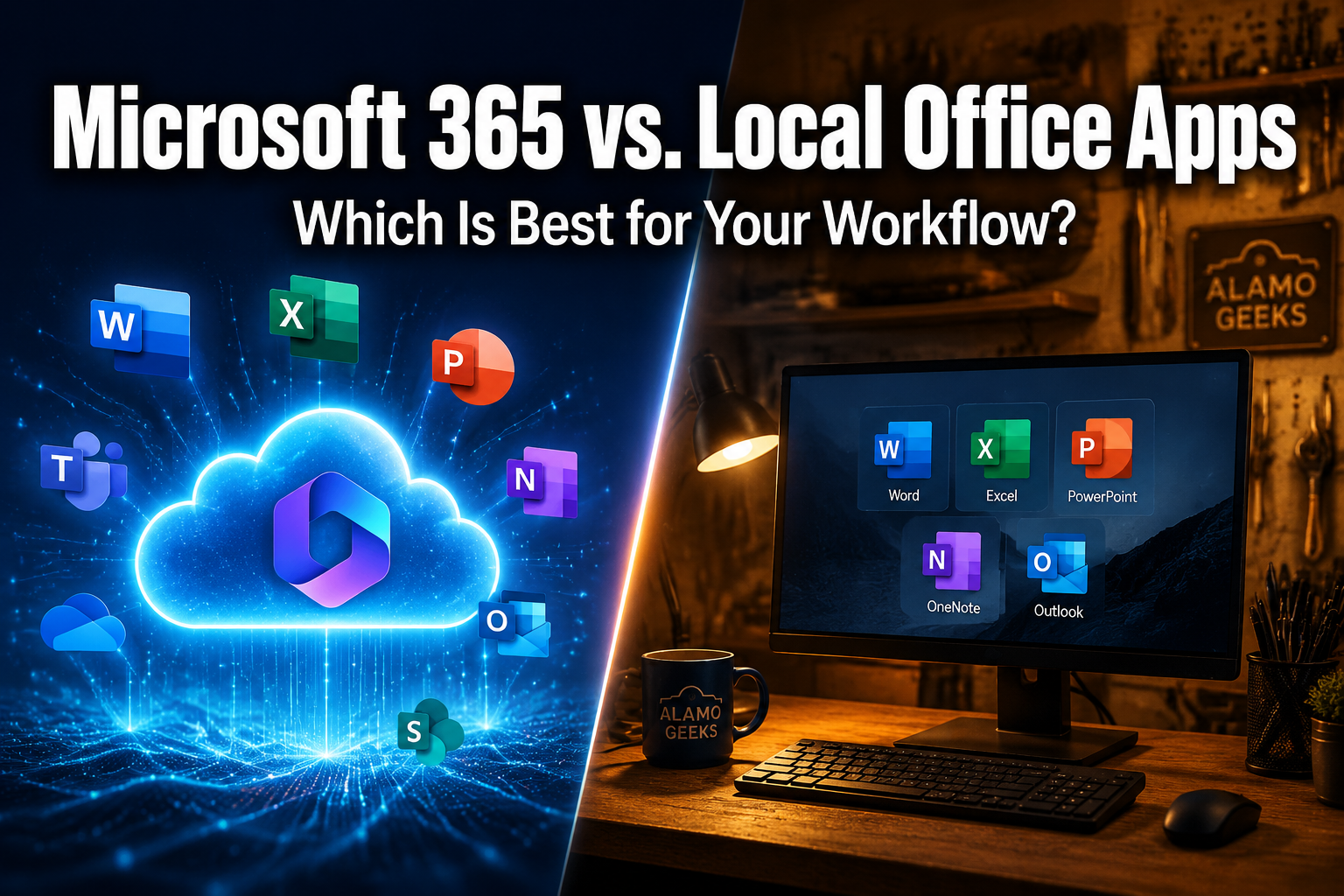
Microsoft 365 vs. Local Office Apps: Which Is Best for Your Workflow?
Last updated: May 19, 2026
Quick Answer
Microsoft 365 is a subscription service that bundles desktop apps, cloud storage, and continuous feature updates for a monthly or annual fee. Office 2024 is a one-time purchase that installs locally and receives security patches but no new features [7]. For most users in 2026, Microsoft 365 offers better long-term value because of cloud collaboration and AI tools, but Office 2024 makes sense if you want to pay once and work offline without ongoing costs [2]. Either way, pairing the right software with reliable hardware matters just as much as the license you pick.
Key Takeaways
- Microsoft 365 costs roughly $70–$100/year for personal use and includes 1 TB of OneDrive storage, while Office 2024 runs about $150 one time [8].
- Office 2024 gets security updates only — no new features, no AI Copilot access [4].
- Microsoft 365 works across Windows, Mac, mobile, and browser. Office 2024 is limited to a single PC or Mac [7].
- Cloud-dependent workflows (remote teams, real-time co-authoring) strongly favor Microsoft 365.
- Offline-heavy users or budget-conscious buyers who avoid subscriptions can do well with Office 2024 on a Professionally Refurbished Computer.
- Buying a refurbished desktop or laptop from Alamo Geeks includes help installing Microsoft 365, plus data transfer for a flat fee.
- Small businesses benefit from Microsoft 365 Business plans that add email hosting, Teams, and cybersecurity tools [5].
What Exactly Is Microsoft 365, and How Does It Differ from Office 2024?
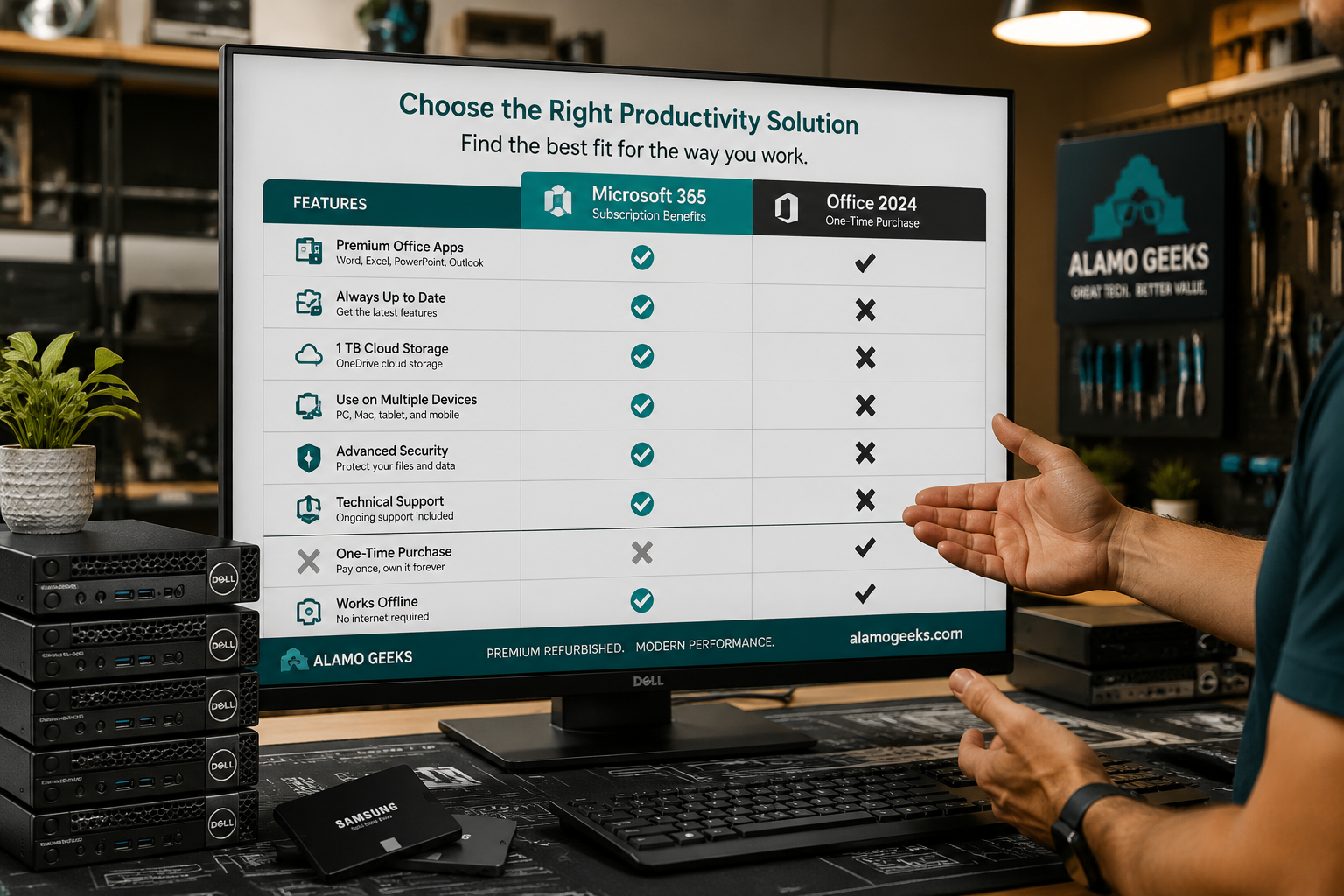
Microsoft 365 is a subscription that gives you always-updated Office apps plus cloud services. Office 2024 is a traditional, install-once license with no expiration date.
Here’s the breakdown:
| Feature | Microsoft 365 (Subscription) | Office 2024 (One-Time Purchase) |
|---|---|---|
| Price | ~$70/yr Personal, ~$100/yr Family | ~$150 once [8] |
| Apps included | Word, Excel, PowerPoint, Outlook, OneNote, Access (PC), Publisher (PC) | Word, Excel, PowerPoint, Outlook, OneNote |
| Cloud storage | 1 TB OneDrive per user | None |
| AI Copilot access | Yes (with eligible plans) | No [4] |
| Feature updates | Continuous | Security patches only [7] |
| Device installs | Up to 5 devices simultaneously | 1 PC or Mac [2] |
| Collaboration tools | Teams, SharePoint, real-time co-authoring | Basic co-authoring only |
| Offline use | Full offline capability | Full offline capability |
Decision rule: Choose Microsoft 365 if you use more than one device, need cloud backup, or work with a team. Choose Office 2024 if you work on a single machine, prefer no recurring bills, and don’t need AI features [9].
A common mistake: assuming Office 2024 is “free forever.” It isn’t. Microsoft typically ends support for perpetual Office versions after about five years, meaning you’ll eventually need to upgrade again [3].
Who Should Pick Microsoft 365 in 2026?
Microsoft 365 is the stronger choice for anyone who collaborates, uses multiple devices, or wants AI-powered productivity tools.
Specific profiles that benefit most:
- Remote and hybrid workers who co-author documents in real time across locations.
- Small business owners who need hosted email (@yourbusiness.com), Teams meetings, and centralized file sharing through SharePoint [5].
- Students and families who share a subscription across up to six people (Family plan) and need 1 TB of cloud storage each.
- Gamers and content creators who already run a custom gaming PC or content creator workstation and want the same Office suite synced to a laptop on the go.
Microsoft has concentrated its AI and advanced features exclusively in Microsoft 365 plans. Copilot, the AI assistant built into Word, Excel, and PowerPoint, is not available in Office 2024 at all [4]. If AI-assisted writing, data analysis, or presentation design matters to your workflow, the subscription is the only path.
Edge case: If you run a Localized AI Workstation for machine learning or automation tasks, Microsoft 365’s integration with Microsoft’s cloud APIs can streamline data pipelines — but the local Office apps alone won’t help with that.
When Does a One-Time Office 2024 License Make More Sense?
Office 2024 wins when you need basic productivity tools on a single machine, work mostly offline, and want predictable costs.
This applies to:
- Budget-conscious home users who write documents and manage simple spreadsheets.
- Businesses with strict data policies that prohibit cloud storage of sensitive files.
- Users on older or refurbished hardware who want a lightweight install without cloud overhead.
At Alamo Geeks, many customers pair Office 2024 with a Professionally Refurbished Computer — for example, a Dell OptiPlex 5060 Micro with an 8th-gen i5 and 256GB NVMe SSD makes a fast, quiet office workstation that handles Word, Excel, and Outlook without breaking a sweat.
Common myth debunked: “Office 2024 can’t open Microsoft 365 files.” False. Both use the same file formats (.docx, .xlsx, .pptx). You just won’t see certain newer formatting or AI-generated content elements render correctly in Office 2024 [10].
How Does Microsoft 365 Handle Security Compared to Local Apps?
Microsoft 365 includes ongoing security patches delivered automatically, plus built-in threat protection on Business plans. Office 2024 receives security updates too, but lacks the advanced cybersecurity tools bundled with Microsoft 365 Business Premium (like Microsoft Defender for Office 365 and data loss prevention).
For small businesses in San Antonio concerned about cybersecurity assessment and data protection:
- Microsoft 365 Business Basic/Standard/Premium plans include admin-level security controls, multi-factor authentication enforcement, and encrypted email [5].
- Office 2024 relies entirely on your local security setup — your antivirus, your firewall, your discipline.
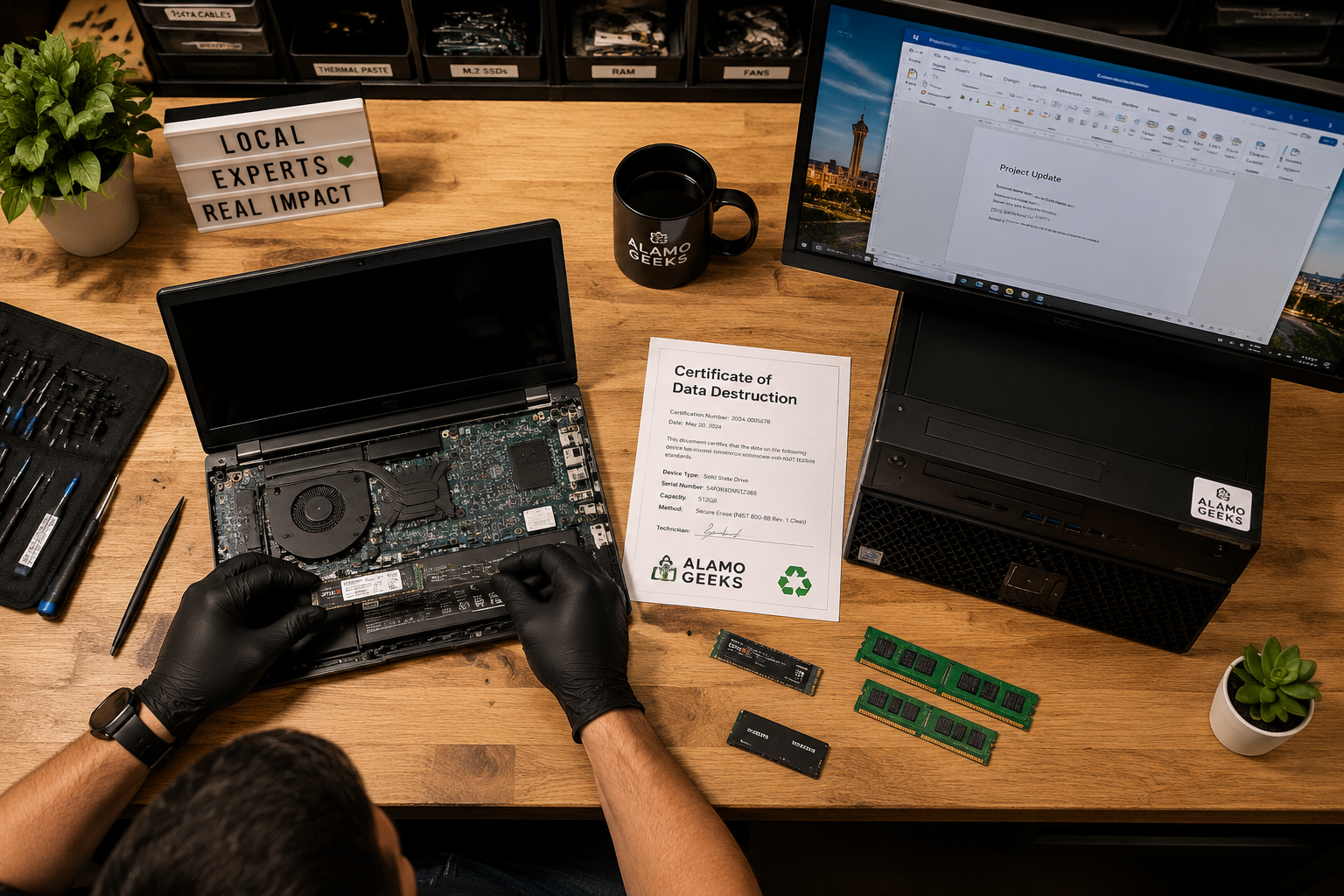
Security-to-Performance narrative: Before any refurbished machine leaves Alamo Geeks, it receives a Certificate of Data Destruction confirming all previous data has been securely wiped using DoD-compliant methods. Then the hardware is professionally tested, upgraded with SSDs, and configured with either Windows 10 or 11 Pro. That clean foundation matters whether you’re running Microsoft 365 or a local Office install.
What Hardware Do You Actually Need to Run Microsoft 365 or Office 2024?
Both run well on modern and recent-generation refurbished hardware. Microsoft’s official requirements are modest: a 1 GHz processor, 4 GB RAM, and 4 GB of free disk space [7]. But real-world performance depends on what else you’re doing.
Recommended specs by use case:
| Use Case | Minimum Spec | Recommended Spec |
|---|---|---|
| Basic Office (Word, email) | i3, 8GB RAM, 120GB SSD | i5, 8GB RAM, 240GB SSD |
| Business productivity (Excel models, Teams calls) | i5, 8GB RAM, 240GB SSD | i5, 16GB RAM, 256GB NVMe |
| Power user (large datasets, Copilot AI, multitasking) | i5, 16GB RAM, 256GB NVMe | i7, 32GB RAM, 512GB NVMe |
Good matches from Alamo Geeks’ refurbished inventory:
- Basic office: Dell OptiPlex 3040 Micro, i5-6400T, 8GB, 240GB SSD — compact, quiet, and ready for Microsoft 365.
- Business productivity: Dell OptiPlex 5060 SFF, i5-8500, 16GB, 512GB NVMe, Win 11 Pro — enough power for Teams video calls and multi-tab Excel work.
- Mobile workers: Dell Latitude 5400, i7-8th Gen, 16GB, 1TB SSD, Win 11 Pro — a business-grade laptop with the storage to handle both local apps and cloud sync.
Cost-effective upgrade path: Already own a machine that feels slow? An 8GB RAM upgrade or SSD swap can extend its useful life by years and make Microsoft 365 run smoothly — a fraction of the cost of buying new.
What About Small Business IT Strategy and Microsoft 365?
For businesses with 2–50 employees, Microsoft 365 Business Standard (roughly $12.50/user/month) typically replaces multiple separate tools: email hosting, file sharing, video conferencing, and office apps in one license [5].
Small business IT strategy recommendations:
- Consolidate tools. Microsoft 365 replaces standalone email, Dropbox/Google Drive, Zoom, and desktop Office licenses. That’s fewer vendors, fewer invoices, and fewer security gaps.
- Standardize hardware. Equipping a team with Professionally Refurbished Computers running Windows 11 Pro keeps costs low while maintaining compatibility with Microsoft 365’s full feature set.
- Plan for growth. Microsoft 365 scales per-user. Adding a new employee means adding a license, not buying a new server.
- Back up beyond OneDrive. OneDrive is not a true backup solution. Pair it with a dedicated backup service for business-critical data.
Alamo Geeks offers business computer solutions including Onsite Business Pickup for Free Computer Recycling when you’re retiring old machines, plus bulk refurbished desktop deployments with Microsoft 365 pre-configured.
Essential Computer Maintenance Tips for Microsoft 365 Users
Keeping Microsoft 365 running well requires basic hardware and software hygiene:
- Keep your OS updated. Windows Update patches are critical for Microsoft 365 compatibility.
- Maintain at least 20% free disk space. OneDrive sync and Office update caches need room.
- Restart weekly. Memory leaks in long-running Office apps (especially Outlook and Teams) clear on restart.
- Run disk cleanup monthly. Temporary files from Office updates accumulate fast.
- Monitor SSD health. SSDs in refurbished machines have finite write cycles. Use CrystalDiskInfo or similar tools to check.
Comparing Windows vs. Linux for Microsoft 365
Windows is the only desktop OS with full native Microsoft 365 app support. Linux users are limited to the web-based versions of Word, Excel, and PowerPoint through a browser [10].
| Criteria | Windows | Linux |
|---|---|---|
| Full desktop Office apps | Yes | No |
| Microsoft 365 web apps | Yes | Yes |
| Teams desktop app | Yes | Discontinued (use web) |
| OneDrive native sync | Yes | Third-party only |
| Best for Microsoft 365 | Yes | Only if web apps suffice |
Choose Windows if your workflow depends on Excel macros, Outlook desktop, or Teams with full features. Choose Linux if you primarily use web-based tools and value OS-level customization and security. Most refurbished machines from Alamo Geeks ship with Windows 10 or 11 Pro, but Linux installs are available on request for computer troubleshooting stations, development machines, or network configuration tasks.
Conclusion: Picking the Right Combo of Software and Hardware
The Microsoft 365 vs. Office 2024 decision comes down to three factors: how you collaborate, how many devices you use, and whether you want AI features. Microsoft 365 is the better fit for most people in 2026 because of its continuous updates, cloud storage, and cross-device flexibility [2]. Office 2024 remains a solid choice for single-machine, offline-focused users who want to avoid subscriptions [8].
But software is only half the equation. Running Microsoft 365 on underpowered or failing hardware wastes your subscription fee. Running Office 2024 on an overpriced new PC wastes money you could save.
Actionable next steps:
- Assess your workflow. Count your devices, check if you collaborate in real time, and decide if AI tools matter to you.
- Match your hardware. Browse Alamo Geeks’ refurbished desktops and laptops — every machine is tested, upgraded with SSDs, and backed by a Certificate of Data Destruction.
- Get help with setup. Buy a refurbished computer from Alamo Geeks and the team will help install Microsoft 365. Data transfer is available for a flat fee.
Sustainable High-Performance Tech doesn’t mean compromising on productivity. It means making smart choices about both your software licenses and the hardware that runs them.
FAQ
How much does Microsoft 365 cost per year in 2026? Microsoft 365 Personal runs about $70/year. The Family plan is roughly $100/year and covers up to six users with 1 TB of OneDrive each [8].
Can I use Microsoft 365 offline? Yes. The desktop apps install locally and work without internet. Documents sync to OneDrive when you reconnect [7].
Does Office 2024 still get updates? It receives security patches but no new features. Microsoft typically supports perpetual versions for about five years [3].
Is Microsoft 365 worth it for a single user on one computer? It depends. If you value 1 TB cloud storage and always-current features, yes. If you just need Word and Excel without extras, Office 2024 at ~$150 one-time may cost less over three-plus years [9].
Can I run Microsoft 365 on a refurbished computer? Absolutely. Any machine with a modern processor, 8GB+ RAM, and an SSD handles Microsoft 365 well. Alamo Geeks tests every refurbished system for performance before sale.
What happens to my files if I cancel Microsoft 365? Your OneDrive files remain accessible for a limited time (typically 90 days). Desktop apps switch to read-only mode. Download your files before cancellation [7].
Does Microsoft 365 work on Linux? Only through web browsers. Full desktop apps require Windows or macOS [10].
Can Alamo Geeks help set up Microsoft 365 on a purchased computer? Yes. Buy a refurbished computer from Alamo Geeks and the team assists with Microsoft 365 installation. Data transfer from an old machine is available for a flat fee.
Is Office 2024 compatible with Microsoft 365 file formats? Yes. Both use .docx, .xlsx, and .pptx formats. Some newer features may not render in Office 2024 [10].
What’s the best budget setup for Microsoft 365 in a small office? Refurbished Dell OptiPlex or HP ProDesk desktops with i5 processors, 16GB RAM, and NVMe SSDs paired with Microsoft 365 Business Standard. This keeps per-seat costs under $20/month for hardware and software combined.
References
[2] Office 2024 Vs Microsoft 365 – https://www.codesforever.com/office-2024-vs-microsoft-365/ [3] Office 2021 Vs Microsoft 365 Office 365 How To Choose – https://www.computerworld.com/article/1710782/office-2021-vs-microsoft-365-office-365-how-to-choose.html [4] Office 365 Vs Office 2024 2026 Subscription Vs One Time Purchase Guide – https://windowsforum.com/threads/office-365-vs-office-2024-2026-subscription-vs-one-time-purchase-guide.408245/ [5] Thinking About A Microsoft App In 2026 Read This Before You Buy Anything – https://erpsoftwareblog.com/2026/01/thinking-about-a-microsoft-app-in-2026-read-this-before-you-buy-anything/ [7] What S The Difference Between Microsoft 365 And Office 2024 – https://support.microsoft.com/en-us/office/what-s-the-difference-between-microsoft-365-and-office-2024-ed447ebf-6060-46f9-9e90-a239bd27eb96 [8] Skip Microsoft 365 Fees In 2026 With A License For Office 2024 Instead – https://www.pcmag.com/deals/skip-microsoft-365-fees-in-2026-with-a-license-for-office-2024-instead [9] Microsoft 365 Vs Office 2024 Which To Buy – https://www.askwoody.com/forums/topic/microsoft-365-vs-office-2024-which-to-buy/ [10] Browser Based Version Of Applications Versus Local – https://learn.microsoft.com/en-us/answers/questions/5320498/browser-based-version-of-applications-versus-local