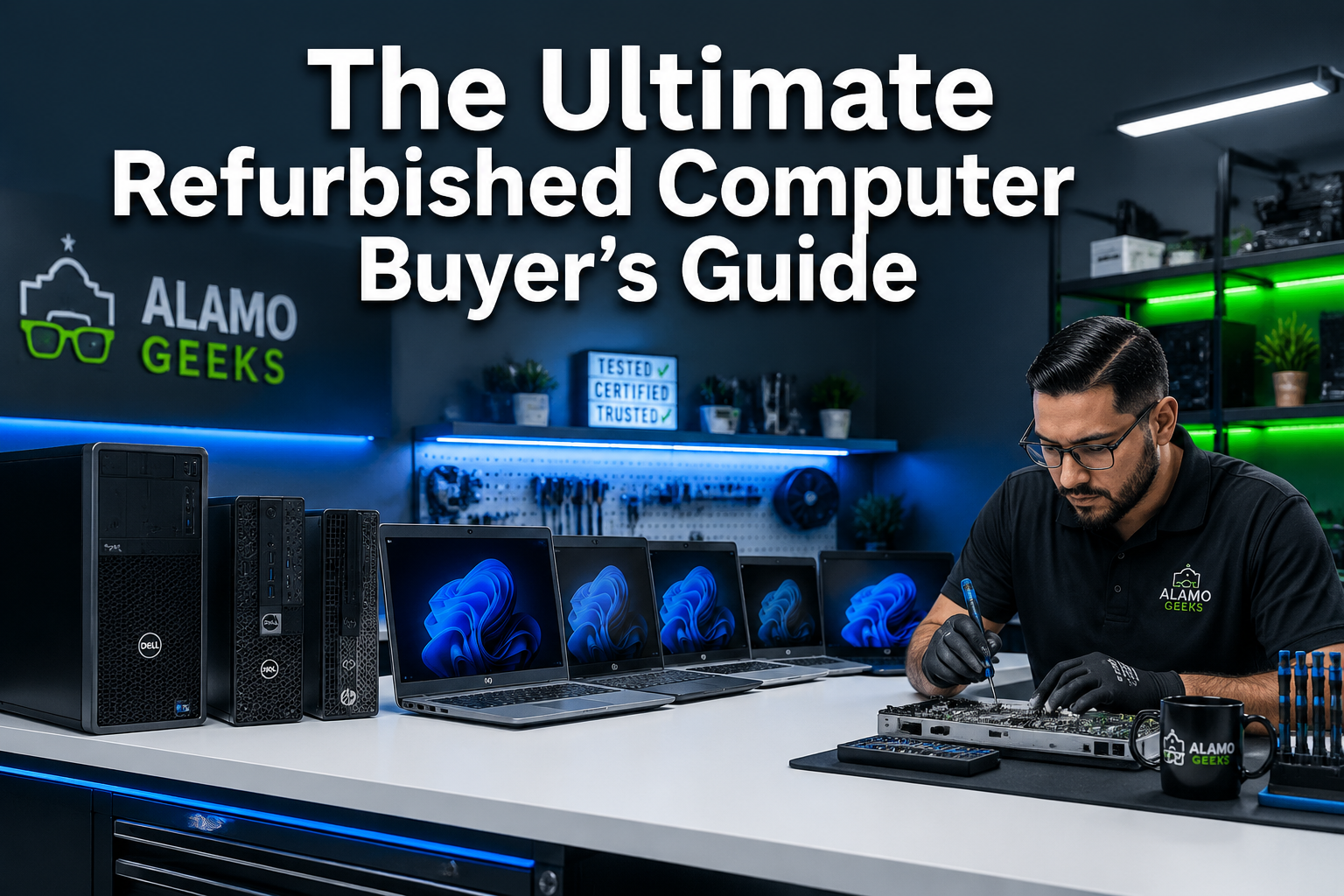
The Ultimate Refurbished Computer Buyer’s Guide
Last updated: May 13, 2026
Quick Answer: A professionally refurbished computer is a used machine that has been inspected, repaired, upgraded, and tested to a defined standard before resale. Buying refurbished in 2026 can save you 40–70% compared to new retail pricing while delivering performance that handles everyday tasks, business workloads, and even gaming. The key is knowing where to buy, what specs to demand, and which red flags to avoid — and that’s exactly what this refurbished computer buyer’s guide covers.
Key Takeaways 🔑
- “Refurbished” is not the same as “used.” Professionally refurbished computers are cleaned, tested, upgraded, and warranted. Random used listings are not.
- Always require a warranty. Industry experts recommend a minimum of one year for manufacturer-refurbished units [4]. Alamo Geeks backs every machine with a 90-day Parts and Labor warranty.
- SSD storage is non-negotiable. A solid-state drive makes any refurbished machine feel fast. Avoid units with spinning hard drives still running as the primary OS drive.
- Data security comes first. Reputable sellers confirm all previous owner data has been securely erased before you ever touch the keyboard.
- Avoid informal marketplaces. Craigslist, eBay from unverified sellers, and Amazon Renewed carry elevated risks of scams, undisclosed damage, and malware [4].
- Minimum specs for 2026: 6th Gen Intel Core i5 or AMD Ryzen 3 equivalent, 8GB RAM, 240GB SSD, Windows 11.
- New inventory arrives weekly at reputable local refurbishers, so checking back regularly pays off.
- Eco-conscious buyers win twice: you save money and keep hardware out of landfills through the tech circular economy.
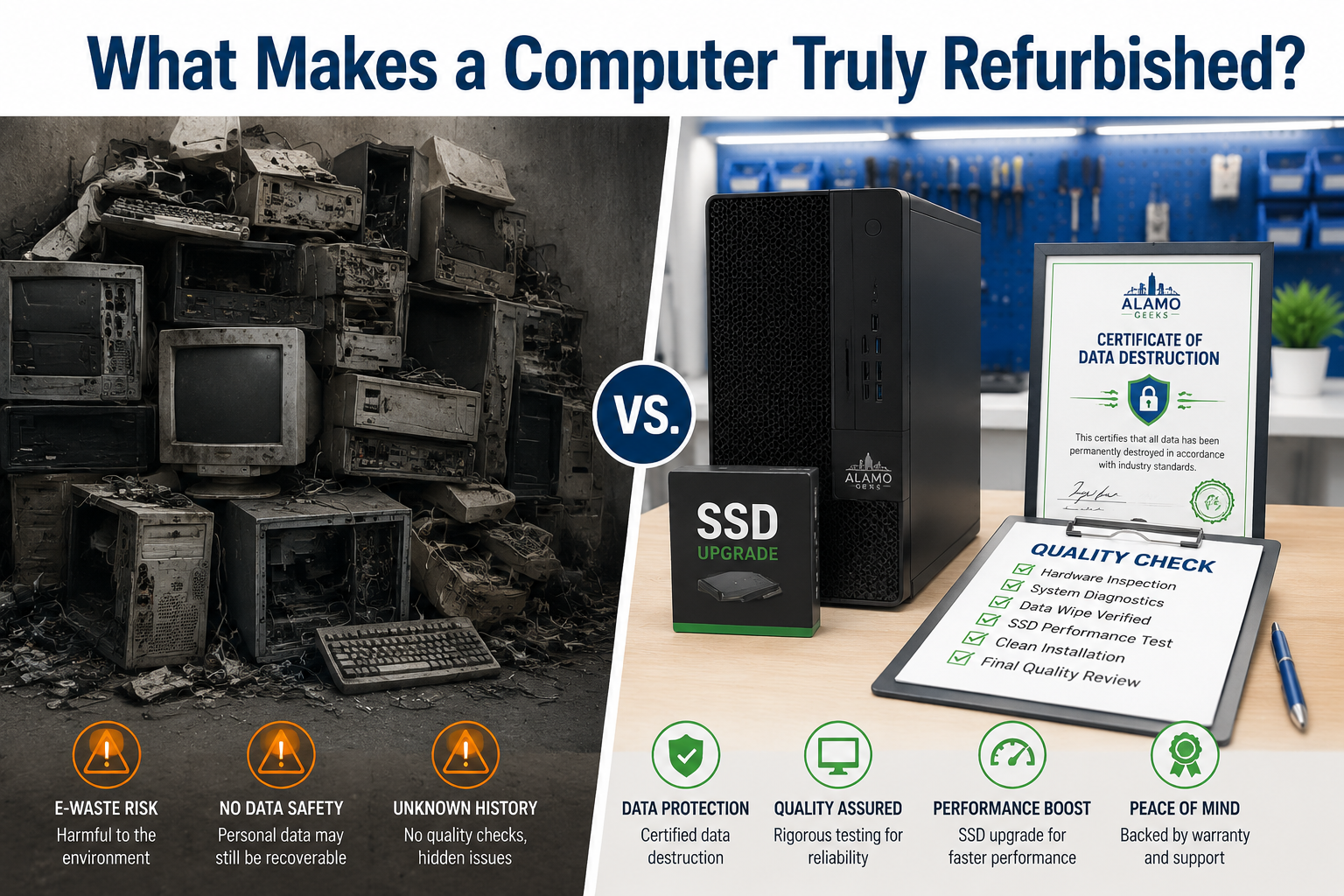
What Does “Professionally Refurbished” Actually Mean?
A professionally refurbished computer has gone through a documented process: data destruction, hardware inspection, component replacement or upgrade, software reload, and quality testing. That process separates a Professionally Refurbished Computer from a machine someone simply wiped and listed online.
Here’s what a rigorous refurbishment process looks like:
- Secure data wipe — All previous data is securely erased using certified methods. A reputable seller issues a Certificate of Data Destruction as proof.
- Hardware inspection — Every component is checked: CPU, RAM, motherboard, ports, display (for laptops), fans, and power supply.
- Component upgrades — Failing or slow parts are replaced. This is where the SSD swap happens, turning a sluggish old machine into something genuinely fast.
- OS reload — A clean, licensed copy of Windows 11 is installed.
- Burn-in testing — The machine runs under load to confirm stability before it ships or hits the shelf.
- Warranty issuance — A warranty backs the work. No warranty means no accountability.
Common mistake: Assuming any used computer sold online is “refurbished.” Without documentation of the above steps, it’s just a used computer with a marketing label. [6]
For a deeper look at how components work together, the Computer Parts Explained: CPU, RAM & Storage Guide 2026 is a solid starting point before you shop.
What Specs Should a Refurbished Computer Have in 2026?
For most buyers in 2026, the minimum viable specs are a 6th-Generation Intel Core i5 (or an AMD Ryzen 3 equivalent), 8GB of RAM, and a 240GB SSD. Anything below this threshold will struggle with modern browsers, video calls, and office software.
Use this table as a quick reference:
| Use Case | CPU | RAM | Storage | GPU |
|---|---|---|---|---|
| Basic (web, email, docs) | Core i5 6th Gen+ | 8–12GB | 240GB SSD | Integrated |
| Business / Remote Work | Core i5 8th Gen+ | 16GB | 256–480GB SSD | Integrated |
| Content Creation | Core i7 6th Gen+ | 16–32GB | 512GB SSD + HDD | Dedicated 4GB+ |
| Gaming (eSports) | Core i5 8th Gen+ / Ryzen 5 | 16–32GB | 256GB SSD+ | Dedicated 4–8GB |
| AI Workstation | Core i7 10th Gen+ / Ryzen 7 | 32GB | 1TB NVMe SSD | Dedicated 12GB+ |
Choose the Basic tier if you need a budget machine for a student or light home use. Choose Core i7 / Ryzen 7 if you’re running AI tools, video editing, or demanding games.
For a plain-English explanation of what these specs mean day-to-day, see How Does A Computer Work? Plain-English Guide 2026.
Where Should You Buy a Refurbished Computer?
Buy from sellers who document their refurbishment process, offer a real warranty, and can prove data destruction. Manufacturer programs (Dell, Apple, Lenovo) and certified local refurbishers are the safest options. Informal marketplaces carry real risk [4].
Best sources, ranked by reliability:
- ✅ Manufacturer-direct refurbished stores (Dell, Apple, Lenovo) — Warranties matching new products, sortable by specs [4]
- ✅ Certified local refurbishers (like Alamo Geeks) — In-person inspection, local accountability, 90-day Parts and Labor warranty
- ✅ Best Buy open-box — Physical inspection possible; filter carefully [4]
- ⚠️ Newegg — Filter strictly by “shipped and sold by Newegg” to avoid third-party sellers [4]
- ❌ Amazon Renewed — No physical inspection [4]
- ❌ Craigslist / Facebook Marketplace / eBay (unverified) — Elevated scam and malware risk [4]
Edge case: If buying through eBay is unavoidable, verify that listing photos show the actual unit (not stock images), buy only from U.S.-based sellers with strong feedback, and confirm a charger is included for laptops [4].
Browse the current Alamo Geeks shop to see what’s in stock — new machines arrive weekly.
This Refurbished Computer Buyer’s Guide on Desktop vs. Laptop: Which Is Right for You?
Desktops deliver more performance per dollar and are easier to upgrade. Laptops win on portability. For most home and business buyers, a refurbished desktop with a separate monitor is the best value in 2026.
Pick a refurbished desktop if:
- You work from a fixed location
- You want maximum performance at the lowest price
- Upgrading RAM or storage later is a priority
- You need a dedicated Localized AI Workstation for running local AI models
Pick a refurbished laptop if:
- You move between locations regularly
- You need an all-in-one form factor
- Screen size and battery life matter
Popular options from Alamo Geeks:
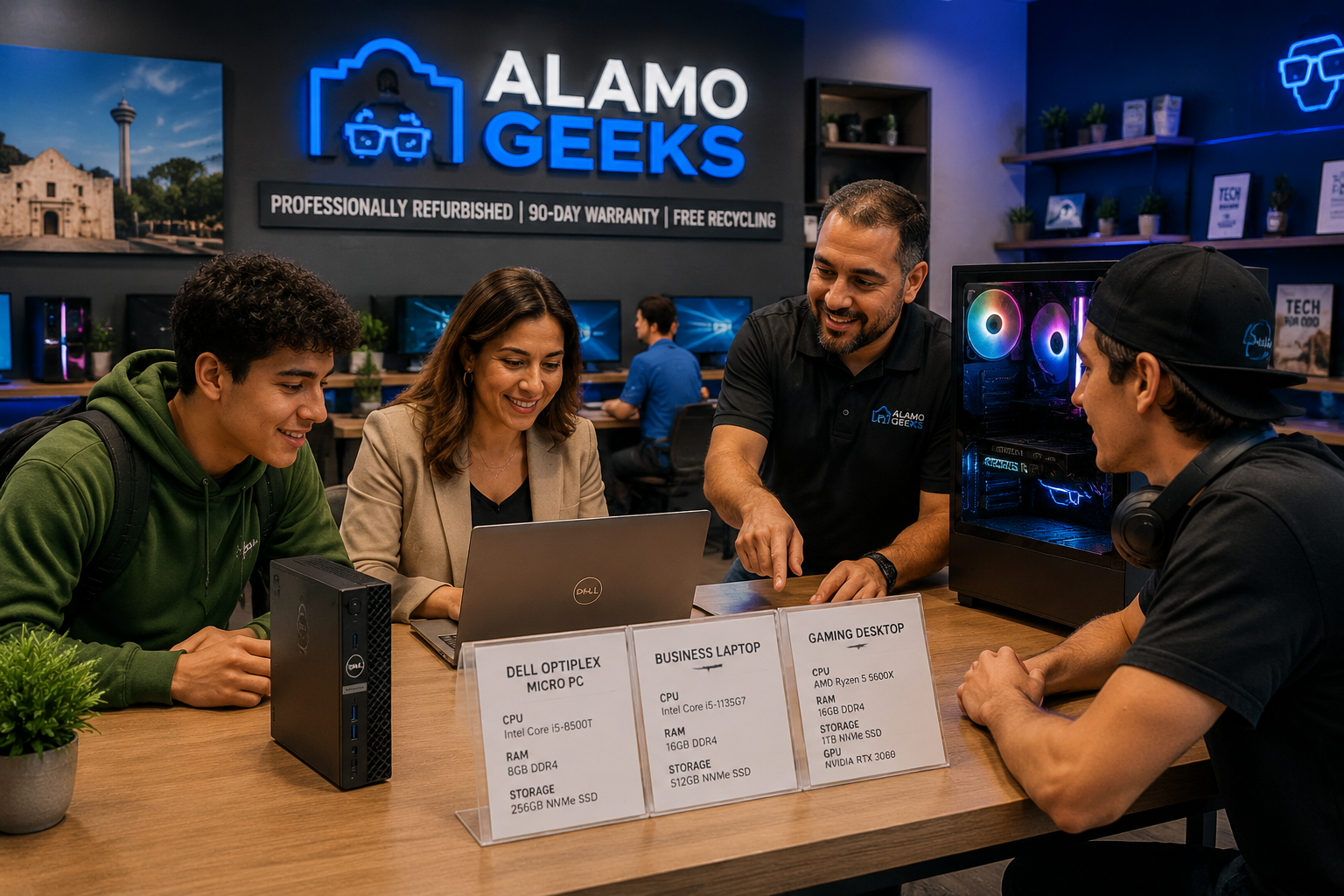
- Compact desktop: Dell Optiplex 7060 Micro — Core i5 8th Gen, 16GB, 240GB SSD — ideal for office work or home use
- Business laptop: Dell Latitude 3520 — Core i7 11th Gen, 32GB, 1TB NVMe SSD — a serious productivity machine
- Gaming desktop: Custom Gaming PC — AMD Ryzen 7, 32GB, 1TB NVMe, AMD RX 6700 XT — Custom Gaming Rig built for performance
How Do You Verify Data Has Been Wiped Before You Buy?
Ask for a Certificate of Data Destruction. This document confirms that all previous user data was securely erased using a certified method prior to the machine’s refurbishment. Without it, you have no proof that the drive was properly wiped.
What to look for:
- Written confirmation of the data destruction method used (e.g., DoD 5220.22-M overwrite, Blancco, or physical destruction for failed drives)
- The certificate should identify the machine (serial number) and the date of destruction
- A fresh OS install alone is NOT sufficient — a factory reset or simple format does not guarantee data is unrecoverable
Alamo Geeks issues a Certificate of Data Destruction with every professionally refurbished machine. This isn’t a bonus feature; it’s the baseline standard for responsible refurbishment.
For context on why secure disposal matters, see Computer Recycling vs. Donating: The Safest Choice in 2026.
What Warranty Should a Refurbished Computer Come With?
The minimum acceptable warranty for a professionally refurbished computer is 90 days Parts and Labor from a certified refurbisher, or one year from a manufacturer-direct program [4]. Any seller offering less than 90 days is not standing behind their work.
Warranty benchmarks by source:
| Source | Typical Warranty |
|---|---|
| Apple Refurbished | 1 year (extendable) |
| Dell Refurbished | 1 year |
| Lenovo / HP Refurbished | 1 year [4] |
| OWC (Mac specialist) | 90 days (up to 2 additional years available) [4] |
| Alamo Geeks | 90-day Parts and Labor |
| Amazon Renewed | 90 days [4] |
| Informal marketplace | None — avoid |
Decision rule: If a seller can’t tell you exactly what the warranty covers and how to claim it, walk away. A warranty is only as good as the seller’s willingness to honor it.
Is Buying Refurbished Worth It Compared to Buying New?
For most buyers, yes. A professionally refurbished machine with an SSD, 16GB RAM, and a current-generation OS delivers the same day-to-day experience as a new entry-level computer at a fraction of the cost. The savings are real, and the environmental impact is significant [2].
Where refurbished wins:
- Price: 40–70% less than comparable new hardware (estimate based on typical market pricing)
- Business-grade build quality: refurbished ThinkPads, Latitudes, and OptiPlexes are built tougher than consumer-grade new machines at the same price point
- Sustainability: extending hardware life reduces e-waste and the carbon cost of manufacturing new devices [2]
Where new wins:
- Cutting-edge CPU generations (12th Gen+, latest Ryzen)
- Full manufacturer warranty from day one
- Latest port configurations (Thunderbolt 4, USB4)
Bottom line: For everyday computing, business productivity, and even mid-range gaming, a professionally refurbished machine beats a new budget computer every time. For the absolute latest hardware or very specific port requirements, new makes sense.
What Are the Biggest Mistakes Buyers Make When Purchasing Refurbished?
The most common mistake is treating “refurbished” as a single category when it’s not. The gap between a certified professionally refurbished computer and a casually relisted used machine is enormous.
Mistakes to avoid:
- Buying without a warranty. No warranty = no recourse if it fails on day two.
- Ignoring the storage type. A machine with a spinning hard drive as the primary drive will feel painfully slow in 2026. Demand an SSD.
- Skipping the data destruction question. Always ask for the Certificate of Data Destruction.
- Buying from informal marketplaces. The risk of scams, undisclosed damage, and malware-infected devices is too high [4].
- Forgetting to confirm laptop charger inclusion. Replacement chargers add unexpected cost [4].
- Prioritizing the lowest price over specs. A $99 machine with 4GB RAM and a hard drive is not a deal — it’s a frustration waiting to happen.
- Not checking the OS license. Confirm Windows 10 Pro or Windows 11 Pro is properly licensed, not a pirated copy.
How Does Alamo Geeks Fit Into This Refurbished Computer Buyer’s Guide?
Alamo Geeks is San Antonio’s authority on Sustainable High-Performance Tech. Every machine sold goes through professional refurbishment, certified data destruction, SSD upgrades, and quality testing before it reaches a buyer. The result is a machine that performs, with a 90-day Parts and Labor warranty backing it up.
Beyond sales, Alamo Geeks offers:
- Free Computer Recycling — Drop off old hardware at no charge, keeping it out of landfills
- On-site Business Pickup — For companies with tech surplus, Alamo Geeks handles collection directly
- Certificate of Data Destruction — Issued for every machine processed
- Custom Gaming Rigs — Built-to-spec gaming PCs using professionally sourced and tested components
- Localized AI Workstations — High-RAM, NVMe-equipped desktops configured for running local AI models and custom AI automation solutions
New inventory arrives weekly, so the selection stays fresh. Check the Alamo Geeks homepage for current stock, or read the deeper Refurbished Computers: Smart Buyer’s Guide to Quality & Savings for additional detail on the refurbishment process.
FAQ: Refurbished Computer Buyer’s Guide
Q: What is the difference between refurbished and used? A: A refurbished computer has been inspected, repaired, upgraded, and tested by a professional. A used computer has simply been owned before. Refurbished comes with documentation and a warranty; used typically does not.
Q: Is 8GB RAM enough for a refurbished computer in 2026? A: For very basic tasks (web browsing, email), 8GB is workable. For anything else — video calls, multiple browser tabs, office software — 16GB is the practical minimum in 2026.
Q: Should I buy a refurbished Mac or PC? A: Both are solid choices. For Macs, target models released after 2020 with Apple Silicon chips for better battery life and performance [4]. For PCs, business-grade brands like Dell Latitude, Lenovo ThinkPad, and HP EliteBook offer the best durability per dollar when refurbished.
Q: How do I know if a refurbished laptop’s battery is good? A: Ask the seller for the battery health percentage. A healthy refurbished laptop battery should hold at least 80% of its original capacity. Reputable refurbishers replace batteries that fall below acceptable thresholds.
Q: Is a 90-day warranty enough for a refurbished computer? A: It’s the minimum acceptable threshold from a certified refurbisher. If the budget allows, prioritize sellers offering one year. Alamo Geeks’ 90-day Parts and Labor warranty covers both components and the work to replace them.
Q: Can I upgrade a refurbished computer after buying it? A: Most refurbished desktops and many laptops support RAM and storage upgrades. Confirm upgrade compatibility before purchasing if this matters to you.
Q: What operating system should a refurbished computer come with? A: Windows 11 Pro is the preferred choice in 2026 for security updates and feature support. Windows 10 Pro is not recommended as it reached the end of life in October 2025.
Q: Are refurbished gaming PCs worth buying? A: Yes, when built by a professional refurbisher. A Custom Gaming Rig with a dedicated GPU (AMD RX 6700 XT, NVIDIA RTX 3060, etc.), 32GB RAM, and a 1TB NVMe SSD delivers strong gaming performance at well below new-build pricing.
Q: What should I do with my old computer when I buy a refurbished one? A: Recycle it responsibly. Alamo Geeks offers Free Computer Recycling with certified data destruction, keeping toxic materials out of landfills and ensuring your data is gone for good. Learn more at the Computer Recycling Center in San Antonio.
Q: Does Alamo Geeks offer pickup for businesses with old equipment? A: Yes. On-site Business Pickup is available for companies with tech surplus. Alamo Geeks handles collection, data destruction, and recycling — issuing a Certificate of Data Destruction for compliance records.
Conclusion: Your Next Step Starts Here
This refurbished computer buyer’s guide covers the full picture: what professional refurbishment actually means, which specs matter in 2026, where to buy safely, and how to avoid the mistakes that turn a good deal into a headache.
The core principle is simple: demand proof. Proof of data destruction. Proof of testing. Proof of warranty. When a seller can provide all three, you’re buying with confidence.
Actionable next steps:
- Define your use case — basic, business, gaming, or AI workstation — and match it to the spec table above.
- Browse current inventory at Alamo Geeks — new machines arrive weekly.
- Ask the right questions before any purchase: What’s the warranty? Is a Certificate of Data Destruction included? Is an SSD installed?
- Recycle your old hardware through Free Computer Recycling — close the loop on Sustainable High-Performance Tech.
- Contact Alamo Geeks for Onsite Business Pickup, Custom Gaming Rigs, or Localized AI Workstation builds.
Professionally refurbished hardware is not a compromise. Done right, it’s smarter buying.
References
[4] How To Buy Used PC — https://www.nytimes.com/wirecutter/reviews/how-to-buy-used-pc/ [2] 2026 ESG Refurbished Guide — https://discountcomputerdepot.com/2026-esg-refurbished-guide [6] Refurb Computer Buying Guide — https://www.pcliquidations.com/blog/refurb-computer-buying-guide [9] Refurbished Computers: The Smart Tech Buyer’s Ultimate Guide to Quality and Savings — https://alamogeeks.com/refurbished-computers-the-smart-tech-buyers-ultimate-guide-to-quality-and-savings/