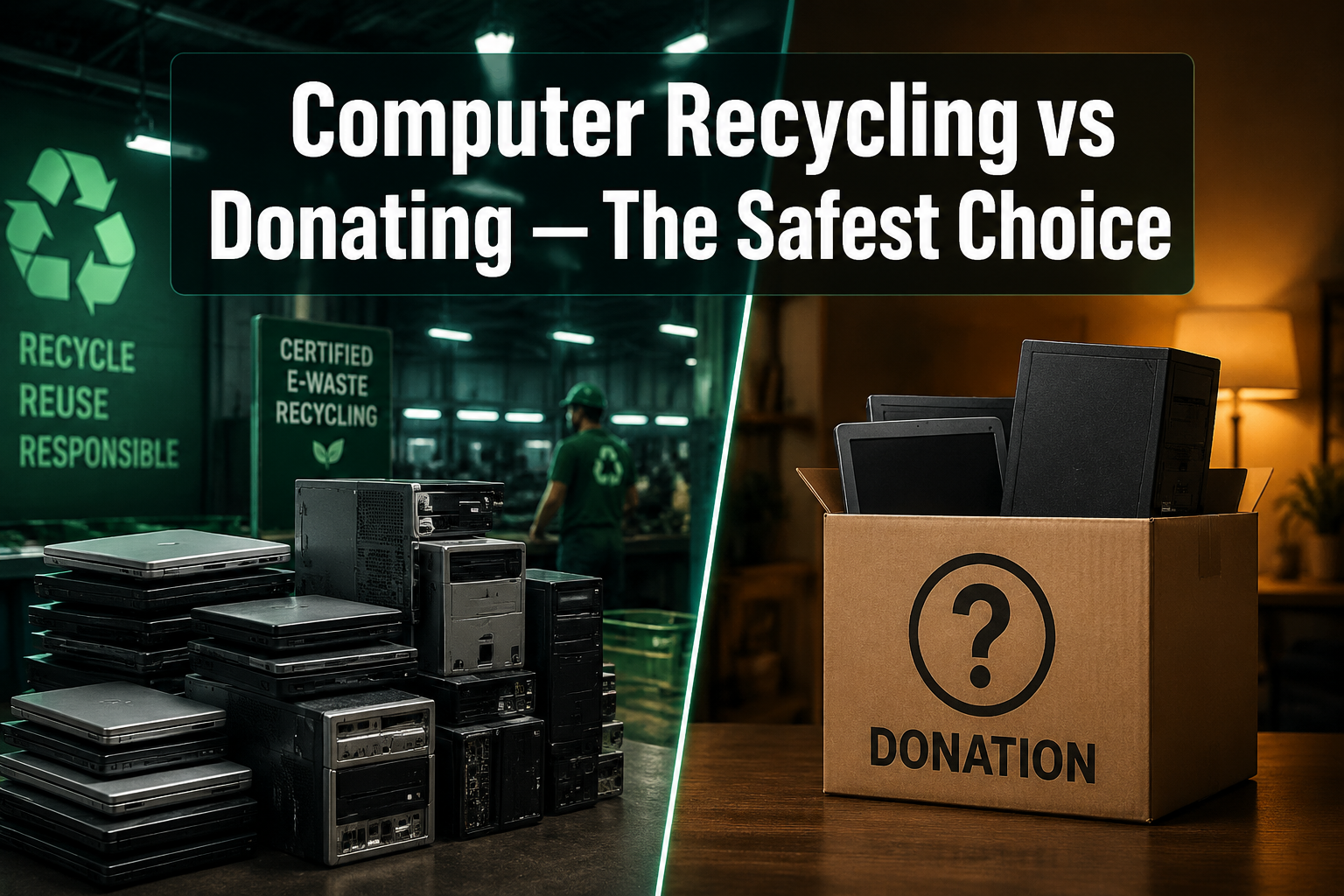
Computer Recycling vs Donating. The safest choice.
Last updated: May 6, 2026
Quick Answer: Computer recycling through a trusted local provider is the safest choice for most people because it guarantees data destruction at a single, controlled endpoint before the device changes hands. Donating a computer can extend its useful life and bridge the digital divide, but it carries real data security risks if the device isn’t wiped properly before it passes through multiple recipients. For San Antonio residents, Alamo Geeks offers free computer recycling with Certified Data Destruction available on request — so you never have to choose between doing good and staying secure.
Key Takeaways
- Only 39% of U.S. adults recycle their old technology, while 22% still throw devices in the trash — a practice that is illegal in some states and environmentally destructive [2]
- Computers in landfills release toxic chemicals into soil and waterways, causing long-term ecological damage [1]
- Donating a computer can be genuinely valuable, especially for schools and underserved communities — but data security depends entirely on who handles the wipe
- Professional computer recycling ensures data is destroyed at one controlled point, not passed through multiple hands
- A Certificate of Data Destruction provides documented proof that your data is gone — critical for businesses and anyone who stored sensitive information
- Reusing functional hardware delivers more value than immediate recycling, which is why refurbishment is the gold standard [5]
- Free computer recycling programs exist in San Antonio — you don’t need to pay to dispose of old hardware responsibly
- Businesses that donate or recycle computers can use the activity to meet ESG and sustainability reporting goals [1]
- If your device still has value, you may be able to get cash for your computer instead of simply disposing of it

Why Does It Matter How You Get Rid of an Old Computer?
Most people think the hard part is over once they unplug an old computer and set it by the door. It isn’t. What happens next — recycling, donating, or throwing it away — determines whether your personal data stays private, whether toxic materials enter the environment, and whether someone else gets real value from the hardware.
Here’s the scale of the problem: only 39% of U.S. adults recycle their old technology, and 22% simply throw devices in the trash [2]. Computers contain lead, mercury, cadmium, and other hazardous materials. When they break down in landfills, those substances leach into groundwater and soil, damaging ecosystems and entering the food chain [1]. In Colorado, improper electronic waste disposal is already illegal — and other states are moving in the same direction [2].
The choice between computer recycling and donating isn’t just an environmental question. It’s a data security question, too.
What Is the Difference Between Computer Recycling and Donating?
Computer recycling means sending a device to a facility that strips it into reusable components, recovers materials like copper and aluminum, and safely disposes of anything that can’t be reused [1]. The device is not passed on to another user — it’s broken down.
Donating means transferring a working device to another person, school, or organization. The device keeps functioning, which is genuinely valuable. A working laptop in the hands of a student who didn’t have one before is a better outcome than shredding it for parts [5].
The key difference comes down to data control and device condition:
| Factor | Computer Recycling | Donating |
|---|---|---|
| Data destruction | Handled at one endpoint | Depends on who does the wipe |
| Device condition needed | Any condition | Functional preferred |
| Environmental benefit | Materials recovered | Extends product life (better) |
| Data security risk | Low (single handler) | Higher (multiple hands) |
| Best for | Broken, old, or sensitive-data devices | Working devices going to trusted orgs |
| Certificate of Destruction | Available from reputable providers | Rarely offered |
Is Donating a Computer Actually Safe?
Donating a computer can be safe — but only if the data is completely destroyed before the device leaves your hands. That’s the part most people skip or do incompletely.
A factory reset alone is not enough on older hard drives. A standard reset marks data as deleted, but that data can often be recovered with free software. True data destruction requires either a multi-pass overwrite, physical drive destruction, or professional degaussing.
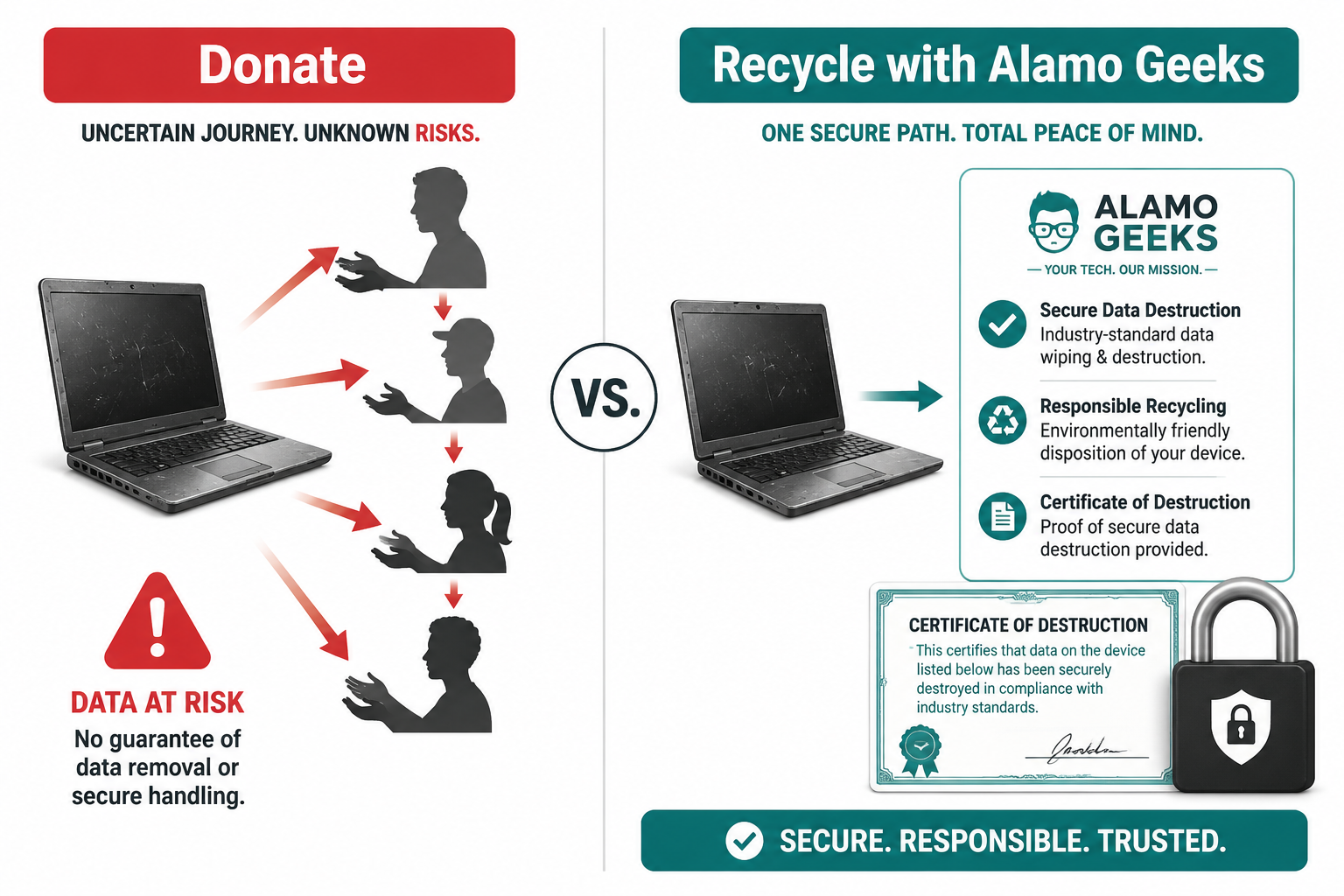
The real risk with donation: the device typically passes through multiple hands — a drop-off volunteer, a sorting facility, a refurbisher, and finally the end recipient. Each handoff is a point where an improperly wiped drive could expose your files, photos, banking history, or saved passwords.
Before donating or recycling any device, back up everything you want to keep to cloud storage or an external drive, then perform a full secure wipe — not just a factory reset [2]. If you’re not sure how to do this properly, a professional service removes the guesswork entirely.
Choose donation if:
- The device is fully functional
- You’re working with a trusted organization that documents their data handling process
- You’ve already had the drive professionally wiped or destroyed
Choose computer recycling if:
- The device is broken or too old to be useful
- You stored sensitive personal, financial, or business data on it
- You want documented proof that your data is gone
Why Computer Recycling Is the Safer Default for Most People
For most individuals and businesses, professional computer recycling is the safer default — not because donation is bad, but because recycling through a reputable provider guarantees data destruction at a single, controlled endpoint.
When a device is brought to Alamo Geeks for free computer recycling in San Antonio, data destruction occurs before anything else. The drive is wiped or destroyed at a single location by a single team under a single accountable process. A Certificate of Data Destruction is available on request. That’s a level of accountability that a donation drop-box simply cannot match.
What happens to a recycled computer at a responsible facility:
- The device is received and logged
- Data is destroyed (overwritten, degauss, or physical shredding)
- Functional components are assessed for reuse or resale
- Reusable parts are harvested and tested
- Non-reusable materials are processed through compliant disposal channels
This process recovers value from the hardware while ensuring nothing harmful ends up in a landfill, and no data falls into the wrong hands. Using professional recycling services also protects individuals and businesses from legal and environmental liability [4].
What Happens to Donated Computers?
Donated computers, when handled well, can genuinely change lives. Devices matched to schools, community centers, and underserved communities provide technology access where it didn’t exist before [1]. Businesses that donate computers can also use the activity to support ESG and Environmental, Social, Responsibility reporting goals [1].
The challenge is that the donation pipeline is long. A device dropped at a collection point may sit in storage, get sorted by volunteers, pass through a refurbisher, and eventually reach an end user — weeks or months later, through multiple hands. If the data wasn’t destroyed at the source, every step in that chain is a potential exposure point.
The best donation outcomes happen when:
- The original owner performs a verified secure wipe before drop-off
- The receiving organization has a documented data handling policy
- The donation goes directly to a known organization rather than a generic drop-box
For businesses, donating computers also generates detailed impact reports useful for sustainability documentation [1]. But for individuals without access to enterprise-grade IT support, professional recycling is simply the more secure path.
What About Refurbished Computers — Where Do They Fit?
Refurbished computers sit at the intersection of recycling and donation. They’re devices that have been professionally tested, repaired, upgraded, and resold — giving hardware a second life while keeping it out of landfills.
For working hardware, reuse delivers more value than immediate recycling because a complete, functional device is worth more than the metals and plastics recovered from breaking it down [5]. This is why Alamo Geeks focuses on transforming surplus business hardware into professionally refurbished computers — laptops, desktops, and workstations that are tested, upgraded with SSDs, and sold at prices that make quality computing accessible.
Examples of what that looks like in practice:
- A Dell Inspiron Tower with an Intel Core i3 8th Gen, 8GB RAM, and 240GB SSD for $99.98 — a capable everyday machine at a fraction of new pricing
- A Lenovo ThinkPad E15 with AMD Ryzen 5, 16GB RAM, and 512GB NVMe SSD for professionals who need reliability without a premium price tag
- Custom gaming PCs built around NVIDIA RTX 3060 or RTX 5070 Ti GPUs for gamers who want performance without paying new-build prices
Every device that gets refurbished and resold is one fewer device in a landfill — and one more person with access to quality hardware.

How to Choose: A Simple Decision Framework
Use this checklist to decide whether computer recycling or donating is the right move for your specific situation.
Recycle your computer if:
- ☑ You stored sensitive business, financial, or personal data on it
- ☑ You want documented proof of data destruction
- ☑ You’re a business with compliance or liability concerns
- ☑ The device is broken, won’t power on, or has significant hardware damage
- ☑ It’s more than 7-8 years old and too slow to be useful to anyone
- ☑ You want to support the free recycling services the recycler provides to the community.
Donate your computer if:
- ☑ You’ve had the drive professionally wiped or physically destroyed
- ☑ You’re giving it directly to a known school, family member, or organization
- ☑ The device powers on and runs reliably
- ☑ It’s recent enough to run current software
- ☑ You want to maximize the device’s useful life before it’s broken down
Consider selling or trading it in if:
- ☑ The device is in good condition and relatively recent
- ☑ You want to offset the cost of your next purchase
- ☑ You’d rather put cash toward a refurbished upgrade
What Does Free Computer Recycling in San Antonio Actually Include?
Alamo Geeks provides free computer recycling for San Antonio residents and businesses — no drop-off fee, no hidden charges. For businesses with large volumes of surplus hardware, on-site business pickup is available, eliminating logistics headaches and chain-of-custody gaps.
The process covers:
- Certified Data Destruction (available on request with documentation)
- Component assessment — functional parts are harvested for refurbishment
- Compliant material disposal — non-reusable components are processed through responsible channels, not landfilled
- Business pickup for companies retiring fleets of computers
For businesses, this matters beyond just convenience. Improper disposal of electronic waste creates legal and environmental liability [4]. Having a documented recycling process with a Certificate of Data Destruction closes that liability gap cleanly.
Learn more about Alamo Geeks’ approach to sustainable tech and how its recycling process sets it apart from generic drop-off programs.
Frequently Asked Questions
Q: Is it safe to donate a computer without wiping it? No. A computer that hasn’t been securely wiped can expose your files, passwords, photos, and financial data to anyone who receives it. Always perform a verified secure wipe — or have a professional do it — before any device leaves your hands.
Q: What’s the difference between a factory reset and data destruction? A factory reset marks data as deleted but doesn’t overwrite it. On older hard drives, that data can often be recovered with free tools. True data destruction uses multi-pass overwriting, physical drive shredding, or degaussing to make recovery impossible.
Q: Can I recycle a broken computer? Yes. Broken computers are actually ideal candidates for recycling because they can’t be donated or resold. A recycling facility will strip them for reusable components and safely process the rest.
Q: What is a Certificate of Data Destruction? It’s a document from a recycling provider confirming that your data was destroyed by a specific method on a specific date. It’s essential for businesses with compliance requirements and useful for anyone who wants documented proof that their data has been deleted.
Q: Is throwing a computer in the trash illegal? In some jurisdictions, yes. Colorado has made improper electronic waste disposal illegal, and other states are following [2]. Beyond legality, it’s environmentally harmful — computers release toxic chemicals as they break down in landfills [1].
Q: What happens to computers that can’t be donated? Responsible recycling programs process non-donatable devices by stripping reusable components, recovering materials like copper and aluminum, and safely disposing of hazardous materials through compliant channels [1].
Q: Does Alamo Geeks offer pickup for business computer recycling? Yes. On-site business pickup is available for companies retiring multiple devices, removing the logistics burden and maintaining a clean chain of custody throughout.
Q: Can I get money for my old computer instead of recycling it? Possibly. If the device is in working condition and relatively recent, it may have trade-in or resale value. Find out if your computer qualifies for cash before committing to recycling.
Q: Are refurbished computers a good alternative to buying new? For most users, yes. A professionally refurbished computer with an SSD upgrade and verified testing delivers reliable performance at 40-70% less than new pricing — and keeps hardware out of the waste stream.
Conclusion: Secure the Data First, Then Decide
The computer recycling vs. donating debate doesn’t have a single right answer for every situation — but it does have a clear priority: data security comes first, always.
If the device is broken or held sensitive data, professional computer recycling with documented destruction is the right call. If it’s functional and going to a trusted recipient with a verified wipe, donation extends its useful life in a meaningful way. And if it still has market value, selling or trading it in puts money back in your pocket while keeping it out of a landfill.
Actionable next steps:
- Back up your data to cloud storage or an external drive before doing anything else
- Assess the device — is it functional? Recent? Did it hold sensitive data?
- Choose your path — recycle, donate, or sell based on the framework above
- Use a trusted local provider for recycling or data destruction, not a generic drop-box
- Request a Certificate of Data Destruction if the device has business or financial data
San Antonio residents and businesses can drop off devices at Alamo Geeks for free computer recycling — with Certified Data Destruction available on request and onsite business pickup for larger volumes. The data gets destroyed first. Then the hardware gets a second life.
That’s the safest choice.
References
[1] Choosing The Right E Waste Disposal Method Comparing Recycling And Donating – https://www.computeraid.org/blog/choosing-the-right-e-waste-disposal-method-comparing-recycling-and-donating/
[2] Dont Throw Away Used Electronics Heres What You Should Do Instead – https://www.koaa.com/news/local-news/dont-throw-away-used-electronics-heres-what-you-should-do-instead
[4] Electronic Recycling 2026 E Waste Stats – https://omegaecycles.com/cybersecurity-tips/electronic-recycling-2026-e-waste-stats/
[5] Earth Day 2026 How Buying Refurbished Cuts E Waste Ab97a659 – https://certifiedusedelectronics.com/blog/earth-day-2026-how-buying-refurbished-cuts-e-waste-ab97a659